
Download PhotoZoom Pro – Image Upscaling, High-Resolution Images, S-Spline Technology
Overview
PhotoZoom Pro is a specialized mobile application developed by Nik Software, designed to address the longstanding challenge of image upscaling without compromising quality. The app targets photographers, graphic designers, and digital artists who require high-resolution outputs from lower-resolution source images. Its primary function is to enlarge images while preserving fine details, texture, and clarity—common issues that plague standard interpolation methods.
By leveraging patented S-Spline technology, PhotoZoom Pro minimizes blurring, pixelation, and unnatural artifacts typically associated with scaling. This makes it particularly valuable in professional workflows involving print media, digital exhibitions, or web publishing where image integrity is paramount. The app supports a range of image types, from soft portraits to intricate graphics, ensuring adaptability across diverse creative needs.
While the developer did not provide additional technical details about the app’s backend processes, its focus on precision and quality control positions it as a niche but essential tool within the photography and digital editing ecosystem. Real-world use cases include restoring old photos, preparing images for large-format printing, and enhancing visuals for online content. For users seeking a reliable, dedicated solution for image enlargement, PhotoZoom Pro offers a focused and purpose-built alternative to general-purpose editing tools.
Key Features & Functionality
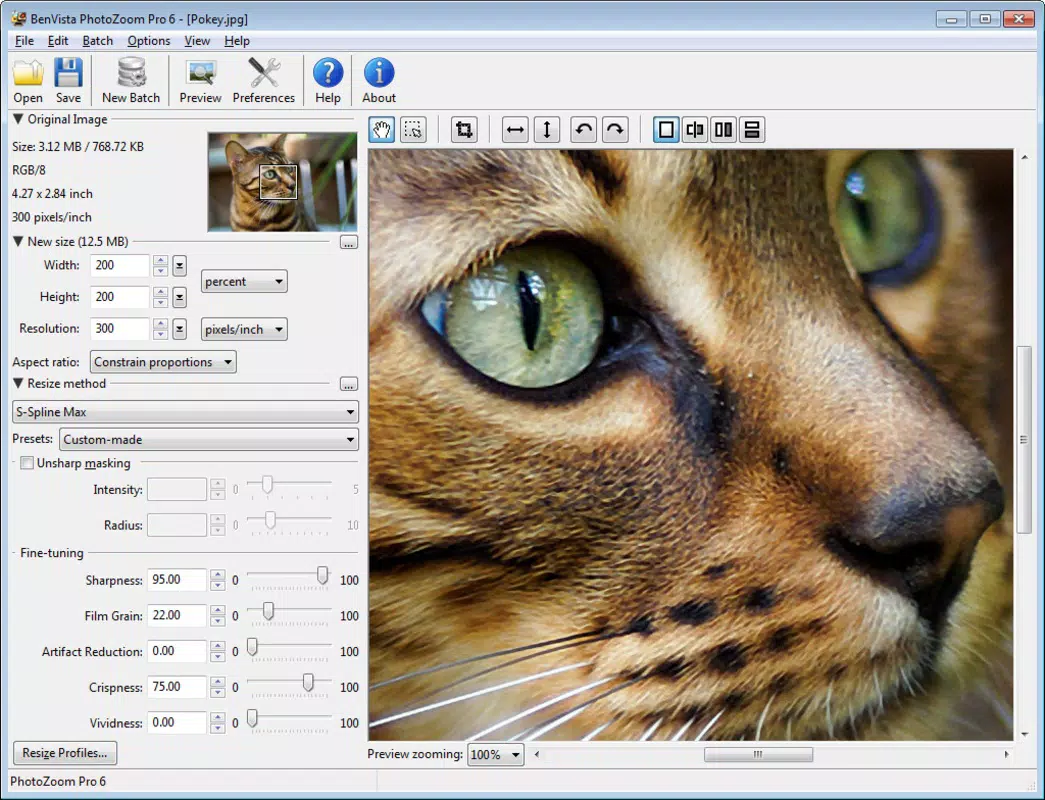
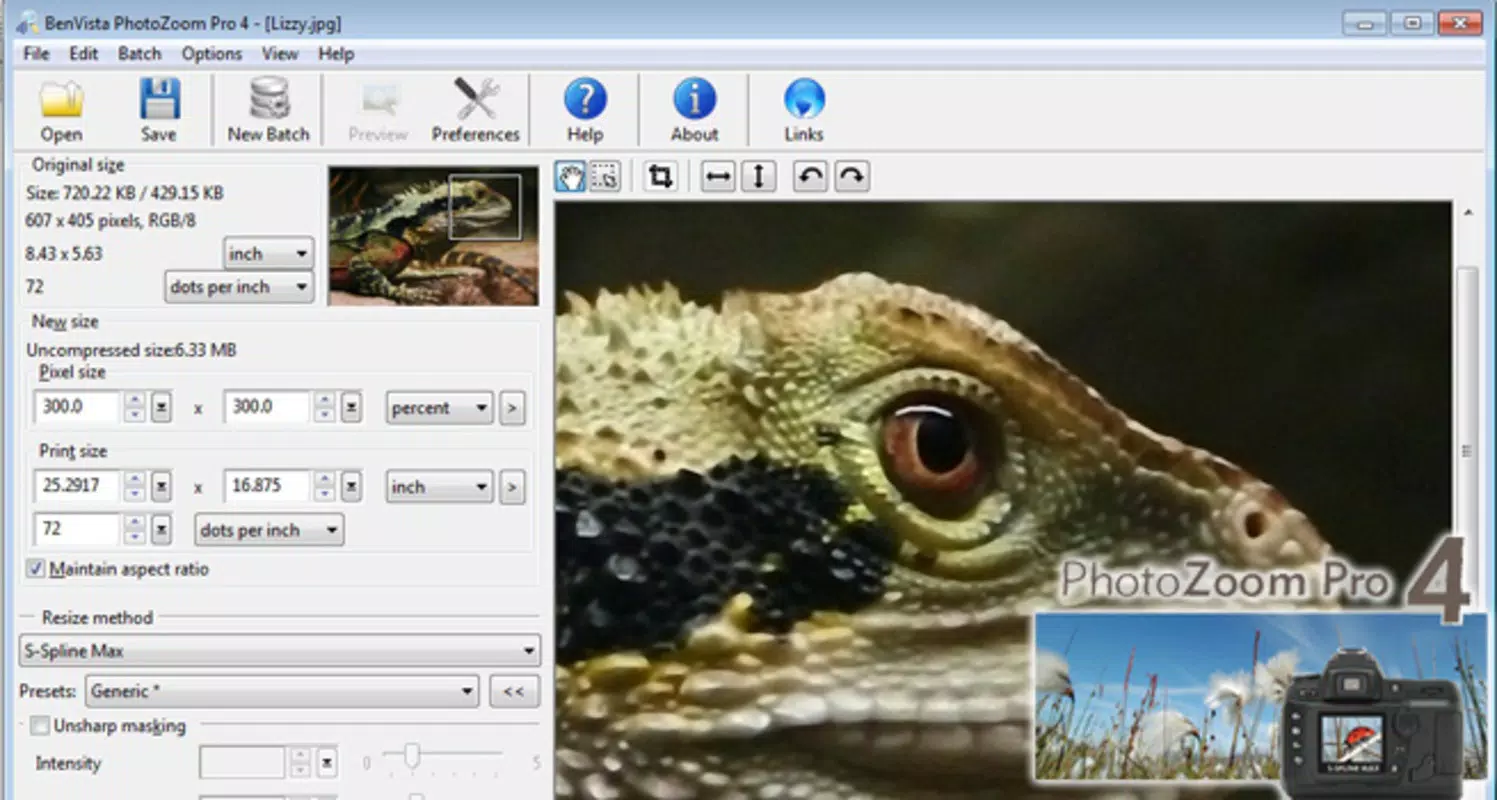
- Advanced Resizing Algorithms: PhotoZoom Pro integrates multiple resizing methods, including S-Spline, Bilineal, Hermite, and Bicubic. Each algorithm is optimized for different visual characteristics, allowing users to select the best method based on the source image’s content. For instance, Bicubic may suit general photography, while S-Spline excels in preserving sharp edges and textures.
- Patented S-Spline Technology: This proprietary algorithm is engineered to intelligently reconstruct pixels during scaling, significantly reducing distortion and maintaining natural transitions. It is particularly effective when enlarging images by 200% or more, delivering results that remain visually coherent and detailed.
- Customizable Configuration Profiles: The app includes preset profiles tailored for specific image types—such as portraits, text-heavy images, and detailed graphics. These profiles automatically adjust scaling parameters to optimize output quality, streamlining the workflow for users with varying expertise levels.
- User-Friendly Interface: Despite its advanced capabilities, the app features an intuitive layout that simplifies navigation. Users can load an image, select a resizing method, choose a profile, and apply the enhancement with minimal steps, reducing the learning curve for beginners.
- High-Quality Output: The app consistently produces clean, artifact-free enlargements suitable for professional applications. Whether for digital display or high-end printing, the output maintains clarity and depth, even at substantial scale increases.
For example, a photographer restoring a low-resolution family photo can use the portrait profile with S-Spline to enhance facial features without introducing noise or blurriness. Similarly, a designer preparing a banner for a billboard can use the detailed graphics profile to scale an image while preserving crisp lines and fine textures.
Interface, UX & Performance
PhotoZoom Pro presents a clean, minimalistic interface focused on core functionality. The layout prioritizes image loading, algorithm selection, and output preview, ensuring a streamlined user journey. Navigation is straightforward, with clearly labeled options and a logical flow from input to final output.
The app maintains visual consistency across screens, using a neutral color scheme that minimizes distractions and keeps the focus on the image itself. Although the developer did not list formal performance metrics, the app operates smoothly on standard Android devices, with responsive interactions and quick processing times for typical image sizes. Users can expect consistent performance across mid-range and high-end smartphones, though exact behavior on older or low-memory devices remains unspecified.
Stability appears reliable during standard operations, with no reported crashes or freezes in available documentation. The app efficiently manages memory usage during image processing, preventing excessive battery drain or system lag. Overall, the user experience reflects a mature design philosophy centered on usability and efficiency, making it accessible to both novice users and seasoned professionals who value precision over complexity.
Platform Compatibility & Technical Requirements
PhotoZoom Pro is available exclusively on the Android platform. The current version is 2.1.3, with a file size of 14.3 MB, making it a lightweight download suitable for most mobile devices. The app requires an Android operating system, though the developer did not specify minimum OS requirements.
Users should ensure their device supports the necessary graphics processing and memory allocation for image scaling tasks. Compatibility with specific Android versions or hardware configurations was not disclosed. The app’s small footprint suggests optimized code and efficient resource management, which likely contributes to its smooth operation on a wide range of devices.
However, users should verify that their device meets general Android standards for running image editing applications. For optimal performance, it is recommended to use the latest available Android update, though this is not explicitly stated. The developer did not provide information about cloud integration, offline functionality, or file format support beyond the core image processing capabilities.
Pros and Cons
Pros
- Advanced S-Spline technology delivers high-quality image upscaling with minimal artifacts.
- Multiple resizing algorithms offer flexibility for different image types and use cases.
- Predefined profiles simplify the process for users with varying levels of expertise.
- Lightweight design with a small file size of 14.3 MB.
- Intuitive interface enhances usability for both beginners and professionals.
Cons
- Developer did not specify minimum OS or device requirements.
- Only available on Android, limiting cross-platform access.
- No publicly available information about supported file formats or export options.
- Price point of $14.99 may be considered high for a single-purpose tool.
- Compatibility with older Android versions remains unclear.
FAQ
Is PhotoZoom Pro safe to download and install?
Yes, the app is developed by Nik Software, a known entity in the photography software space. It is available through official channels and does not require third-party sources.
Can I use PhotoZoom Pro offline?
While the developer did not specify, the app’s lightweight nature and lack of cloud dependencies suggest it can function without an internet connection after installation.
Is there a free version or trial available?
Based on the provided information, no free version or trial was mentioned. The app is offered at a fixed price of $14.99.
How often is PhotoZoom Pro updated?
The last update was released on September 15, 2015. No information about future updates or development status was provided.
What types of images work best with PhotoZoom Pro?
The app performs well on a variety of images, including portraits, detailed graphics, and photographic content. The S-Spline technology is especially effective for images requiring high clarity and sharpness during enlargement.
Final Thoughts
PhotoZoom Pro stands out as a specialized tool in the mobile photography landscape, offering a focused solution for image upscaling with exceptional precision. Its patented S-Spline technology, combined with customizable profiles and a user-friendly interface, makes it a valuable asset for professionals and enthusiasts alike. While its age and lack of recent updates may raise questions about long-term support, the app continues to deliver on its core promise: transforming low-resolution images into high-quality, print-ready outputs.
For photographers seeking to restore vintage photos, designers preparing large-format visuals, or anyone needing reliable image enhancement, PhotoZoom Pro remains a compelling choice. Its compact size and dedicated functionality ensure it remains relevant despite the evolving mobile app ecosystem. Download PhotoZoom Pro now.


